











CNC Machines
CNC Machines for Precise and Automated Production
At SignProduction, you will find CNC machines for sign making, prototyping, product development, education and small series production. Our range is suitable for businesses, designers, workshops, schools and creative environments that require accurate and automated material processing.
Depending on the selected model, milling tool and machine setup, a desktop CNC machine can process wood, MDF, plywood, plastic, acrylic, aluminium and brass, together with other compatible materials. This makes it possible to manufacture signs, letters, logos, components, models and individually designed items with excellent accuracy and consistent results.
Selected CNC machines incorporate technologies such as servo systems, ball screws and linear guides. Combined with software including Fusion 360, VCarve Pro and Makera CAM, these features support an efficient digital workflow from the initial design and calculated toolpaths to the completed item.
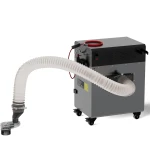
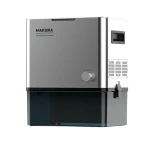
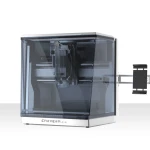
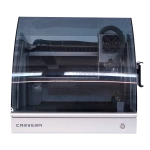
Our selection includes the compact Makera Carvera Air Desktop CNC Machine and the more automated Makera Carvera Desktop CNC Machine. For cleaner and more controlled machining, you can also choose the TwoTrees CNC Machine Vacuum M2 or the Makera Cyclone Dust Collector.
You can also explore our wider selection of professional production machines and equipment for makerspaces. These categories include complementary technologies for digital manufacturing, creative work and educational environments.
The right CNC equipment depends on your working area, materials, required precision, production volume, preferred software and level of automation. Contact our customer service team on +44 2036300130 or by email if you need help choosing a CNC machine, milling tools, dust extraction equipment or a complete digital production system.
CNC Machines for Sign Making, Prototypes and Precision Milling
A CNC machine allows businesses, workshops and educational institutions to automate accurate milling, engraving, drilling and material processing. With modern CNC equipment, you can manufacture everything from signs, logos and dimensional lettering to prototypes, enclosures, technical components and individually designed items.
At SignProduction, you will find compact desktop CNC machines that combine professional accuracy with a space saving and accessible design. They are suitable for sign companies, advertising agencies, designers, product developers, smaller manufacturers, schools, workshops and makerspaces that want to adopt digital manufacturing without installing a large traditional CNC system.
CNC technology can automate both repetitive and complex operations. Once the equipment has been configured with the correct tool, material, speeds and toolpaths, it can repeat the same process with a high degree of consistency. This can reduce manual work, limit errors and improve the efficiency of custom projects and small series production.
What Is a CNC Machine?
CNC stands for Computer Numerical Control. This means that the movements of the equipment are controlled digitally using programmed toolpaths.
Instead of guiding the cutter manually, the CNC machine moves it accurately along defined axes and removes material in controlled stages. This makes it possible to reproduce complex designs and repeat previous jobs with consistent dimensions.
A typical CNC workflow includes:
- Creating the item or component in CAD software
- Preparing the design in a CAM program
- Selecting the milling tool, speed, depth and machining strategy
- Calculating the required toolpaths
- Securing the material and setting the correct starting point
- Milling, engraving or drilling the workpiece
- Inspecting and finishing the completed item
The digital process allows designs and production settings to be saved for later use. This is particularly valuable when manufacturing signs, replacement parts, components or products that need to be produced more than once.
CNC Milling, Engraving and Drilling
A CNC milling machine can perform several types of material processing. The available operations depend on the model, spindle, selected cutter, workpiece and software.
- CNC milling: A rotating tool removes material to create contours, cutouts, pockets, edges and dimensional forms.
- CNC engraving: Text, logos, patterns and fine details are cut into the material surface.
- Contour cutting: An item is separated completely from a sheet by following a digital outline.
- Pocket milling: Material is removed from a defined area to a specified depth.
- Drilling: Accurately positioned holes are created with consistent spacing and depth.
- Surface milling: A workpiece is levelled or adjusted to a required thickness.
- Relief machining: Dimensional motifs and textured surfaces are produced using several calculated toolpaths.
These operations can be combined within the same project. A component may begin with rough material removal before receiving detailed engraving, drilled holes and a final finishing pass.
2D, 2.5D and 3D Milling
CNC equipment can process both simple and complex geometry. During 2D milling, the tool primarily follows contours along the horizontal axes. This approach is commonly used for letters, logos, panels, signs and straightforward components.
With 2.5D milling, the cutter works at several defined depths. It can create pockets, steps, recesses, holes and relief details for enclosures, front panels, signs and mechanical parts.
3D milling is used for organic forms, curved surfaces, models, moulds and detailed reliefs. Complex projects often require several machining strategies, beginning with rough material removal before a finer tool produces the final surface.
CNC Machines for Wood, MDF and Plywood
A CNC milling machine can process wood based materials for signs, lettering, models, interior components, decorations, patterns, prototypes and specialised parts. These materials are popular because they can be machined with different cutters before being sanded, painted, varnished or decorated.
Common wood based materials include:
Selected MDF and plywood sheets can be suitable for CNC machining, although compatibility depends on the individual model, cutter and project. Always check the material thickness, dimensions and properties before machining begins.
Milling wood and MDF produces dust and chips. Effective dust extraction is therefore important for the working environment, equipment maintenance and the quality of the finished surface.
CNC Milling of Plastic and Acrylic
Plastic materials can be used for signs, front panels, displays, enclosures, models, spacers and technical components. CNC machining of acrylic is particularly useful when producing accurate contours, holes, channels, recesses or edges that can be polished afterwards.
The cutter geometry, spindle speed and feed rate must match the chosen plastic. An unsuitable combination can create excessive heat, causing the material to melt, adhere to the tool or develop an uneven surface.
When machining plastic, consider:
- The plastic type and melting point
- Cutter geometry and number of cutting edges
- Spindle speed and feed rate
- Chip formation and removal
- Secure clamping and surface protection
- The required edge finishing
Testing an unfamiliar material on a smaller sample can help identify appropriate settings before processing the final workpiece.
CNC Machines for Aluminium and Brass
Selected desktop CNC machines can process aluminium, brass and other compatible non ferrous metals. This makes them useful for mechanical components, front panels, brackets, prototypes, electronics projects, signs and precision parts.
Machining metal normally places greater demands on equipment stability, spindle performance, milling tools and setup than working with wood or plastic. The cutting depth, feed rate and spindle speed must be selected carefully so the cutter removes material without excessive heat or strain.
When choosing CNC equipment for aluminium, examine:
- The rigidity of the machine structure
- Spindle power and available speed range
- Recommended milling tools
- Options for secure material clamping
- Requirements for lubrication or cooling
- Desired surface quality and dimensional accuracy
- Material alloy and thickness
Material compatibility does not mean that every operation can use the same speed or cutting depth. Each machining strategy must be adjusted to the selected equipment, cutter and workpiece.
Technology for Stable and Accurate Machining
Precise CNC processing requires a stable mechanical structure and controlled movement. Selected models use closed servo systems, ball screws and linear guides to support smooth movement, accurate positioning and reduced mechanical play.
Depending on the model, additional features may include:
- Automatic measurement and probing
- Automatic tool and starting point measurement
- Automatic tool changing
- An enclosed working area
- Integrated or external dust collection
- A laser module for compatible engraving tasks
- An optional rotary axis
- Wireless connectivity and digital machine control
Automated functions can reduce manual setup and make complex projects easier to reproduce. Features vary between models, so the included equipment and available accessories should always be checked before purchase.
Makera Carvera Air for Flexible Desktop Manufacturing
The Makera Carvera Air Desktop CNC Machine is a compact model for milling, engraving, prototyping and smaller production tasks. It is particularly relevant for schools, designers, product developers, makerspaces, workshops and smaller businesses where available space is limited but precision and flexibility remain important.
With the correct tools and configuration, Carvera Air can process wood, MDF, plastic, acrylic, composite materials, aluminium and brass. It supports a digital workflow using software such as Fusion 360, VCarve Pro and Makera CAM.
Its compact format offers an accessible route into CNC manufacturing while still delivering the accuracy required for detailed professional and educational projects.
Makera Carvera with Automated Features
The Makera Carvera Desktop CNC Machine is designed for users who want additional automation within a compact enclosed unit. Its features include automatic tool changing, automatic probing, integrated dust collection and support for an optional fourth axis.
Automatic tool changing is particularly useful when a project requires several cutters. The process can begin with a larger tool for rough material removal before changing to a smaller cutter for details, holes or surface finishing.
An optional fourth axis rotates the workpiece during machining. This expands the available production methods and supports cylindrical or rotational forms that may be difficult to manufacture with a conventional three axis setup.
CAD and CAM Software for CNC Production
An efficient CNC workflow requires software for both design and toolpath calculation. CAD software is used to create the item, while CAM software converts the design into movements that the CNC machine can perform.
Popular programs include:
- Fusion 360: Used for CAD design, engineering, simulation and CAM processing.
- VCarve Pro: Suitable for sign making, engraving, cutouts, pockets, decorative work and V carving.
- Makera CAM: Created for preparing and simulating toolpaths for compatible Makera machines.
The most appropriate program depends on project complexity, user experience and whether the work involves 2D, 2.5D or 3D processing. Before purchasing equipment, check the software requirements, supported file formats and compatibility with the selected model.
CNC Machines for Professional Sign Making
Within sign production, a CNC milling machine can be used for cutting, engraving and manufacturing dimensional elements. It is especially valuable when the material is too thick or rigid for an ordinary cutting plotter.
Typical applications include:
- Cut logos and dimensional letters
- Engraved information and name signs
- Relief signs and dimensional motifs
- Signs made from wood, MDF, plastic or acrylic
- Front panels with accurately positioned holes and cutouts
- Templates, moulds and installation aids
- Displays and retail fixtures
- Custom brackets and spacers
After machining, the items can be sanded, painted, varnished, covered with vinyl or combined with printed graphics. CNC equipment can therefore form part of a wider production workflow alongside other professional production machines.
CNC Machines for Product Development and Prototypes
A CNC machine allows users to move directly from a digital design to a physical prototype. This can shorten the time between an initial idea, testing and the completed product because changes can be made in the CAD file and manufactured again without producing a new traditional mould or template.
Common applications include:
- Design and functional prototypes
- Enclosures for electronics
- Mechanical components
- Jigs and fixtures for production
- Samples and demonstration models
- PCB milling and electronics projects
- Moulds and models for further manufacturing
- Replacement parts and custom components
A 3D scanner can be used to digitise an existing object for reverse engineering or further product development. A 3D printer can complement CNC machining when an additive process is more appropriate for a particular prototype or complex form.
CNC Milling, Laser Processing and 3D Printing
CNC machines, laser systems and 3D printers can all support digital production, but they operate according to different principles.
- CNC milling: A rotating tool removes material and creates pockets, holes, contours and dimensional surfaces.
- Laser processing: A focused beam cuts or engraves compatible materials without physical contact.
- 3D printing: An item is built layer by layer by adding material.
CNC machining is often appropriate for precise mechanical parts, recesses, relief details and materials that are unsuitable for a particular laser technology. Our laser cutting and engraving machines may be preferable for rapid contact free processing, while 3D printing is useful when the item needs to be built additively.
These production methods do not necessarily replace one another. Combining them can create a more versatile workflow for prototypes, signs, models and custom components.
Bring Selected Production Work In House
A desktop CNC machine can allow businesses that normally outsource milling and specialised components to complete selected tasks internally. This can improve control over quality, design changes and delivery times.
Internal CNC production can offer:
- Greater control over quality and scheduling
- Faster adjustments to digital designs
- A shorter process from idea to prototype
- Flexible manufacturing of individual items and small series
- Less dependence on external suppliers
- More opportunities to produce custom work
- Better use of internal design and manufacturing expertise
Whether the investment is financially worthwhile depends on the workload, materials, labour, software, tooling and maintenance. The entire production process should be considered rather than looking only at the purchase price.
Dust Collection and a Cleaner CNC Workflow
Milling wood, MDF, plastic and other materials creates dust and chips. If they are not removed efficiently, they can accumulate around the tool, affect the finished surface and place additional strain on moving components.
Our current selection includes the TwoTrees CNC Machine Vacuum M2 and the Makera Cyclone Dust Collector. Suitable extraction equipment can offer:
- Less dust and fewer chips around the working area
- Better visibility during machining
- Less manual cleaning between jobs
- Additional protection for mechanical components
- A cleaner and more controlled working environment
The required extraction capacity depends on the material and production volume. Fine particles from MDF and composite materials require particular attention, and all equipment must be used in accordance with workplace regulations and manufacturer instructions.
Who Can Benefit from a CNC Machine?
Compact CNC machines can support many businesses, institutions and professional fields:
- Sign companies and advertising agencies
- Designers and product developers
- Architects and model makers
- Electronics and prototype workshops
- Manufacturers requiring smaller specialised components
- Schools and technical educational institutions
- Makerspaces and innovation environments
- Jewellery designers and creative studios
- New and smaller businesses
- Experienced users requiring high precision
The most appropriate model depends on the intended materials, complexity, available workspace and required production capacity.
How to Choose the Right CNC Machine
The best CNC machine is the model that matches your workpieces, materials and everyday processes. Before making a decision, consider:
- Working area: What is the largest item the machine must process?
- Materials: Will you mainly work with wood, plastic, acrylic, aluminium or composites?
- Precision: Which tolerances and details do your projects require?
- Spindle: Which tools, speeds and materials must the spindle support?
- Automation: Do you need automatic tool changing, probing or a fourth axis?
- Software: Must the machine work with existing CAD and CAM programs?
- Noise and enclosure: Will the equipment be placed in an office, classroom or open workshop?
- Extraction: Which dust and chip collection system will the materials require?
- Production volume: Will it be used for prototypes, individual parts or repeated small series?
- User experience: Will the equipment be operated by beginners, students or experienced professionals?
- Budget: Have you included software, milling tools, clamping, extraction and maintenance?
Choosing equipment according to the complete workflow helps prevent capacity limitations and unnecessary additional costs later.
Accessible CNC Equipment for Beginners and Professionals
Modern desktop CNC machines include features that can make the initial setup more manageable. Intuitive software, automatic measurement and digital workflows can reduce some manual stages, although CNC machining still requires an understanding of materials, tools, clamping and cutting data.
Beginners should start with straightforward materials and projects before working with demanding metals or complex 3D forms. Toolpaths should be simulated, and the starting point, cutter and material clamping must be checked before the program begins.
Experienced users can take advantage of precise movement and automated functions for advanced projects, optimised toolpaths and repeated small series manufacturing.
Safe Use of CNC Machines
A CNC milling machine uses rapidly rotating tools and can produce dust, chips, noise and heat. It must always be operated according to the manufacturer’s instructions and with suitable safety measures.
- Confirm that the workpiece and cutter are secured correctly
- Use only tools that are compatible with the spindle and material
- Keep the enclosure closed during operation when the model includes one
- Use appropriate dust and chip extraction
- Maintain suitable supervision during critical processes
- Wear appropriate protective equipment during cleaning and finishing
- Never remove chips near a rotating tool
- Follow the safety information supplied with the material and machine
Training and clear operating procedures are particularly important in schools, shared workshops and makerspaces where several people may use the same equipment.
Why Choose CNC Equipment from SignProduction?
At SignProduction, you receive more than access to a CNC machine. We can help you create a suitable production setup in which the equipment, software, materials, milling tools, clamping and dust extraction work together effectively.
Our range and guidance include:
- Compact CNC equipment for professional and creative production
- Machines for sign companies, workshops, schools and makerspaces
- Advice about model selection, materials and digital workflows
- Options for combining CNC machining with lasers, 3D printing and 3D scanning
- Customer service before and after your purchase
- Guidance on dust collection and compatible accessories
Advice About CNC Machines and CNC Milling
If you are unsure which CNC machine matches your projects, our customer service team can help you assess materials, workpiece dimensions, precision requirements, software and production capacity. We can advise you about the Makera Carvera Air, Makera Carvera, dust extraction and the complete CNC workflow.
Contact us on +44 2036300130 or by email if you need advice, a quotation or assistance selecting CNC equipment, milling tools and compatible accessories. We are available both before and after your purchase and can help you find a complete production setup for sign making, prototypes, education, product development or small series manufacturing.