





Direct-To-Film Printers
DTF Printers for Textile Printing and Transfer Production
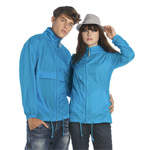
At SignProduction, you will find DTF printers for producing colourful transfers for T shirts, hoodies, workwear, sportswear, merchandise and fabric bags. Direct to Film printing makes it possible to reproduce logos, photographs, lettering and detailed designs without cutting and weeding each part of the artwork.
The design is printed onto special transfer film using colour and white ink, then coated with adhesive powder and cured. A heat press transfers the finished graphic onto a compatible garment. The method can be used on many cotton, polyester and blended fabrics, including light and dark textiles.
Our range includes the compact Roland BY 20, the larger Roland TY 300 and Roland RDTFS800-Shaker and Dryer. Alongside the printer, a complete setup requires suitable film, DTF ink, adhesive powder, curing equipment, software and a transfer press.
Whether you are starting a clothing business or expanding an existing workshop, we can help you match the equipment to your design sizes, production volume and available workspace. Contact us on +44 2036300130 or by email for advice about a DTF printer or a complete textile printing setup.
DTF Printers for Efficient Textile Transfer Production
A DTF printer, also known as a Direct to Film printer, produces transfers that are subsequently applied to textiles with a heat press. The process allows you to create colourful logos, photographs, lettering and detailed artwork for T shirts, workwear, sportswear, promotional clothing, merchandise and fabric bags.
DTF printing accommodates both individual personalised orders and larger batches. Unlike conventional cut textile vinyl, a printed design does not need to be individually cut and weeded, making the method particularly practical for intricate graphics and artwork containing several colours.
A complete production setup involves more than the printer itself. DTF ink, transfer film, adhesive powder, curing equipment, RIP software and a suitable heat press all contribute to the finished result, so equipment should be selected around the entire process.
What Is DTF Printing?
DTF stands for Direct to Film. The design is printed in reverse onto specially coated film using CMYK colour ink and an opaque white layer. Once transferred, the white ink forms a base beneath the colours, helping the artwork remain visible on both light and dark fabrics.
Adhesive powder is applied while the ink is wet, then melted and cured using suitable heating equipment. The prepared transfer is placed on the garment and applied with a heat press.
The carrier film is removed hot, warm or cold according to its instructions. Some combinations also require a second pressing stage to achieve the intended adhesion and surface finish.
How the DTF Process Works
- Create or import the artwork in compatible RIP software.
- Set the design size, mirrored orientation and white base layer.
- Print onto the coated side of suitable DTF transfer film.
- Distribute adhesive powder evenly over the wet print.
- Remove excess powder from the unprinted areas.
- Cure the transfer using the recommended temperature and duration.
- Position the design on the garment and apply it with a heat press.
- Remove the carrier film at the specified peeling temperature.
- Press again if required by the transfer instructions.
Temperature, time and pressure vary between films, powders, garments and pressing equipment. Follow the material supplier's recommendations and test the complete combination before beginning a larger order.
Advantages of DTF Printing
- Detailed colour graphics: Reproduce photographs, gradients, small lettering and complex illustrations.
- Decoration on dark garments: White ink provides an opaque base beneath the printed colours.
- Flexible order sizes: Produce individual transfers or repeat batches.
- No individual weeding: Fine elements do not need to be separated from surrounding vinyl.
- Personalisation: Change names, numbers, logos and artwork between orders.
- Separate transfer production: Prepare designs for later application where the materials and storage conditions allow.
- Varied applications: Decorate suitable clothing, merchandise, workwear and fabric accessories.
Consistent results depend on the printer, consumables, curing process, heat press and fabric working together. No single component can compensate for an unsuitable combination elsewhere in the process.
Printheads, Detail and Production Quality
The printhead influences the detail, speed and maintenance requirements of a DTF printer. Fine lettering and photographic artwork demand accurate ink placement, while repeat orders also require reliable film feeding and consistent colour output.
When comparing equipment, consider:
- The usable print width
- Printhead configuration and colour channels
- Output speed at the quality setting you intend to use
- Automatic cleaning and operator maintenance requirements
- Availability of compatible ink, replacement parts and support
- Recommended operating temperature and humidity
The fastest mode is not necessarily appropriate for every design. Resolution, print passes, ink coverage and software settings should be balanced against the appearance required for the finished garment.
White DTF Ink and Ink Circulation
White pigment ink is essential for producing an opaque base, particularly on dark textiles. Its pigments can settle when the ink remains stationary, making correct handling and maintenance important.
Some printers use circulation or agitation systems to help maintain the white ink supply. These features support stable operation but do not replace the cleaning, cartridge handling and idle period procedures specified by the manufacturer.
Always select ink approved for the particular model and configuration. Browse our DTF inks when choosing consumables for your equipment.
RIP Software for DTF Printing
RIP software processes the artwork and prepares the data used by the printer. Depending on the program, it can control colour profiles, ink coverage, resolution and the white layer beneath the design.
Useful functions can include:
- Mirroring, resizing and repeating artwork
- Creating and adjusting the white base layer
- Managing colour output and ink limits
- Arranging several designs efficiently across the film
- Selecting print quality and production settings
- Organising jobs and reducing unused film space
Too much white ink can increase curing demands and make a transfer feel heavier, while insufficient coverage may leave colours looking weak on dark garments. Check which software is supplied, its supported file formats and whether the required licence is included.
Choosing the Right Print Width
Print width determines the largest design you can reproduce and how many smaller graphics can fit beside one another. A compact model may suit personalised orders and limited workspace, while a wider printer offers more room for large designs and efficient batch layouts.
Distinguish between the width of the film roll and the area the printer can actually print. Margins usually reduce the usable space, so check the specifications against your largest planned artwork.
Allow room for film loading, maintenance access, powder handling, curing equipment and ventilation. The printer's dimensions alone do not represent the space needed for a complete installation.
DTF Film and Transfer Finish
Transfer film carries the design through printing, powder application and curing before releasing it onto the garment. Its coating affects how the ink behaves, how easily the transfer peels and the appearance of the finished decoration.
Films can differ in:
- Hot, warm or cold peeling requirements
- Matt or glossier surface finish
- Coating on one or both sides
- Sheet or roll format
- Compatibility with particular inks and adhesive powders
Use materials tested together rather than assuming that every film works with every powder. Explore our DTF film and adhesive powder for transfer production.
DTF Powder and Adhesion
DTF powder is a heat activated adhesive that bonds the printed image to the textile. It is distributed over wet ink, with loose powder removed before curing.
Even coverage matters, especially around fine details and design edges. Powder remaining outside the artwork can leave unwanted adhesive marks or a rough surface on the garment.
Powders vary in particle size, melting behaviour, flexibility and fabric compatibility. Store them dry and follow the supplier's handling instructions, since moisture can affect distribution and processing.
Manual Powder Application or an Automatic Shaker?
For smaller batches, powder can be applied manually in a suitable contained work area, followed by curing in approved equipment. This requires more operator handling but can accommodate varied designs and occasional custom orders.
For continuous production, a compatible shaker and dryer can distribute powder, remove the excess and cure the film as it moves through the system. The Roland RDTFS800 shaker and dryer is finishing equipment for this stage, not a printer.
The unit must suit the film width, operating speed and curing requirements. Correct coordination helps avoid uneven feeding, wrinkles and insufficient curing.
Curing DTF Transfers Correctly
After powder application, the adhesive must melt evenly under controlled conditions. Suitable equipment may include a dedicated DTF oven or a compatible automatic drying unit.
Insufficient curing can weaken adhesion, while excessive heat may affect the ink, carrier film or flexibility of the decoration. Follow the specified settings rather than relying on appearance alone to judge whether a transfer is ready.
The curing area also needs suitable ventilation or extraction for the equipment, consumables and production volume. Include this requirement when planning the workspace.
Applying Transfers with a Heat Press
A transfer press provides the controlled heat and pressure needed to bond the design to the garment. The pressing area should accommodate the artwork and provide even contact across it.
- Check that the garment is suitable for the transfer and required heat.
- Prepress the fabric if recommended for the process.
- Position the transfer with the printed adhesive side against the textile.
- Apply the specified temperature, time and pressure.
- Peel the carrier according to the film instructions.
- Press again with an appropriate protective sheet if required.
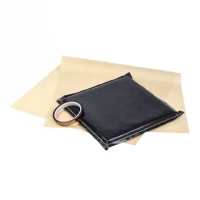
Seams, zips, buttons and pockets can prevent even contact. A suitable pressing pad or alternative platen may help, while a household iron generally lacks the control needed for consistent commercial production.
Which Textiles Can Be Decorated with DTF?
DTF transfers can be applied to many products made from cotton, polyester and blended fabrics. This makes the process useful for fashion, company clothing, sportswear and promotional items.
However, fibre content is only part of the picture. Surface treatments, stretch and heat sensitivity can affect adhesion or cause visible changes during pressing.
Pay particular attention when testing:
- Water repellent or treated fabrics
- Stretch garments
- Coloured or sublimated polyester
- Softshell and technical workwear
- Items with uneven seams or raised details
- Materials sensitive to heat
Explore our textiles and promotional clothing, and confirm the suitability of the individual garment before production.
Dark Fabrics and Dye Migration
The white base layer helps colours stand out on dark or coloured clothing. It should not, however, be treated as an automatic barrier against dye migration.
On some polyester fabrics, dyes can move into the transfer during or after heating and change the appearance of the design. Test the garment and use a transfer system or approved settings intended to address this risk where necessary.
Durability and Washing Instructions
A correctly produced DTF transfer can provide flexible, durable decoration. Its performance depends on the ink, film, adhesive, curing, pressing and fabric, as well as how the finished item is washed and handled.
Give customers care instructions that apply to both the garment and the transfer. Washing inside out is often recommended, but washing temperature, drying and ironing guidance should follow the specific material requirements.
If edges lift after washing, investigate compatibility and processing conditions rather than assuming the printer is responsible. Curing, pressing time, temperature and pressure can all influence adhesion.
Compact DTF Printers for Smaller Businesses
A desktop model such as the Roland BY 20 can suit businesses introducing custom clothing or handling varied, smaller orders. Examples include online shops, sign makers and garment decorators producing their own transfers.
A manual finishing arrangement may be practical at this scale, provided suitable powder handling and curing equipment are available. Even a compact printer requires regular maintenance, so consider how it will be managed between orders as well as during production.
DTF Production for Higher Daily Volumes
A wider model such as the Roland TY 300 can form part of a larger transfer operation. Pairing a printer with compatible automatic finishing equipment reduces manual handling between printing and curing.
Actual capacity depends on:
- Usable print width and artwork layout
- Print quality, ink coverage and white layer settings
- Powder application and dryer capacity
- Time spent preparing files and loading materials
- Transfer separation, garment positioning and heat pressing
- Routine cleaning and consumable replacement
A faster printer will only increase finished output if the remaining stages can keep pace. Assess the complete production sequence when planning an upgrade.
DTF Printing Compared with Heat Transfer Vinyl
Conventional heat transfer vinyl is cut into shapes, weeded and applied with heat. It is useful for names, numbers and simple logos, as well as finishes such as glitter, flock, metallic and reflective effects.
DTF is particularly practical for photographs, colour gradients and detailed artwork because the design transfers as one printed composition. Many garment decorators use both methods, choosing according to the artwork and desired finish.
DTF Printing Compared with DTG
Direct to Garment printing, or DTG, applies ink directly to the fabric. DTF instead produces a separate transfer that is subsequently applied with a heat press.
DTG commonly requires garment pretreatment, particularly when printing white ink onto dark clothing. Standard DTF transfers generally avoid that liquid pretreatment stage and can be prepared before the garments are ready, subject to the transfer materials' storage requirements.
DTF Printing Compared with Sublimation
Sublimation printing uses heat to transfer dye into suitable polyester fibres or a compatible coating. It produces decoration with little or no noticeable surface layer and is generally suited to light coloured substrates.
DTF can accommodate a broader range of fabric colours and many cotton or blended garments. Its design remains as a transfer layer on the surface, so material suitability and the desired feel should guide the choice.
DTF Printing Compared with Screen Printing
Screen printing can be economical for large runs of the same design, but normally involves preparing screens and managing each colour separately. DTF avoids that physical screen setup, making it adaptable to short runs, frequent artwork changes and personalised orders.
For repeated designs in high quantities, screen printing may remain the better commercial choice. Compare preparation time, labour, materials and order volume rather than assuming one process is always cheaper.
Maintaining a DTF Printer
Regular maintenance helps preserve print quality and reduce interruptions. Follow the procedures for the specific model, including any required care during weekends, holidays or longer periods without production.
Routine tasks may include:
- Performing nozzle checks before production
- Following the white ink handling procedure
- Cleaning the capping station and wiper as instructed
- Cleaning the designated areas around the printhead
- Checking ink levels and expiry dates
- Inspecting film feeding and accessible rollers
- Checking and emptying the waste ink container when required
- Cleaning the shaker, dryer and powder handling area
- Monitoring the operating environment
Use approved cleaning supplies and only carry out procedures described in the manufacturer's instructions. Improvised cleaning or contact with sensitive components can damage the equipment.
Temperature and Humidity in the Workspace
DTF equipment should operate within the manufacturer's recommended temperature and humidity range. Very dry conditions can contribute to static and drying problems, while excess moisture can affect film and powder handling.
Choose a clean, stable location away from direct sunlight, strong draughts and dusty processes. Store consumables as instructed and protect them from contamination between jobs.
Ventilation, Extraction and Powder Handling
DTF production involves liquid ink, fine adhesive powder and heated curing equipment. Plan for appropriate ventilation and extraction, keeping powder handling contained and separate from sensitive printer areas.
Follow the consumable safety data sheets and equipment instructions for storage, cleaning and any required protective equipment. Extraction requirements should be assessed for the actual installation and workload, rather than assumed from the printer's size alone.
Troubleshooting Common DTF Problems
- Missing lines or colours: Run a nozzle check and follow the recommended cleaning procedure.
- Weak colour output: Check the artwork, colour profile, ink coverage, white layer and pressing settings.
- Uneven white coverage: Inspect the nozzle test and review white ink handling and software settings.
- Powder outside the design: Remove loose powder thoroughly before curing.
- Poor adhesion: Check material compatibility, curing, pressing temperature, time and pressure.
- Difficult peeling: Confirm whether the film requires hot, warm or cold removal.
- An oily or uneven surface: Review curing conditions, ink coverage and consumable compatibility.
- Dye migration: Test the fabric and seek a transfer system or approved settings suited to the garment.
- Wrinkled film: Check loading, feed tension and dryer settings against the equipment instructions.
Change one setting at a time and record the outcome. Once a reliable combination is established, save the production settings for future orders using the same materials.
How to Choose the Right DTF Printer
The most suitable printer is the one that matches your artwork, expected workload and ability to maintain it. Before purchasing, consider the following questions:
- What is the largest design you need to produce?
- How many transfers do you expect to make each day?
- Which film formats does the printer support?
- Would automatic powder application and curing benefit your workload?
- Is there sufficient space for operation, maintenance and extraction?
- Which RIP software and licences are included?
- How is white ink managed, and what operator care is required?
- Which heat press suits your garments and design sizes?
- Are compatible consumables and replacement parts readily available?
- What installation, training and service arrangements are needed?
Budget for the complete setup and ongoing running costs. These may include a computer, software, curing equipment, extraction, work surfaces, a heat press, consumables, cleaning supplies and replacement parts.
DTF Applications for Different Businesses
- Garment decorators: Transfers for customer orders or resale.
- Sign makers: Expansion into company clothing and promotional merchandise.
- Online shops: Personalised T shirts, hoodies, bags and gifts.
- Workwear suppliers: Company logos, employee names and department identification.
- Sports clubs: Club graphics, sponsor logos and supporter merchandise.
- Schools and makerspaces: Supervised digital design and textile decoration projects.
- Transfer suppliers: Prepared designs for other businesses to apply.
Frequently Asked Questions About DTF Printers
What Does DTF Stand For?
DTF means Direct to Film. Artwork is printed onto transfer film, coated with adhesive powder, cured and applied to a compatible textile with a heat press.
Do DTF Printers Use White Ink?
The Roland DTF printers in this range use white ink alongside CMYK colours. The white layer provides an opaque base, particularly for dark garments, and requires the handling and maintenance specified for the model.
Does the Garment Need Pretreatment?
Standard DTF transfers generally do not require the liquid pretreatment commonly used for DTG printing on dark clothing. The garment must still be compatible with the adhesive and pressing conditions, and any recommended preparation should be followed.
Can DTF Be Used on Cotton and Polyester?
Yes, many cotton, polyester and blended garments are suitable. Test the actual product, particularly when it is treated, highly elastic, heat sensitive or prone to dye migration.
Do I Need a Heat Press?
A suitable heat press is needed for controlled application of the transfer. Even pressure, temperature and pressing time are important for reliable adhesion across the design.
What Does a Powder Shaker Do?
A powder shaker distributes adhesive over the wet print and removes excess material. When combined with a compatible dryer, it supports automated powder application and curing during continuous film production.
Can a DTF Printer Be Left Unused?
Follow the manufacturer's instructions for idle periods and extended shutdowns. Do not assume that leaving the printer switched off without preparation is appropriate, particularly because white pigment ink can settle.
Can I Sell Finished DTF Transfers?
Yes, transfers can be supplied for another business or customer to apply. Test the materials and provide clear storage, application and garment care instructions, including any limits on storage time.
Is DTF Better Than Heat Transfer Vinyl?
The methods suit different jobs. DTF is convenient for detailed artwork and several colours, while cut vinyl is useful for straightforward lettering and decorative effects such as flock, glitter and reflective finishes.
DTF Ink, Film, Powder and Accessories
At SignProduction, you can find DTF ink and transfer film and adhesive powder for compatible equipment. Check the product specifications before selecting supplies for your printer and garments.
Our DTF accessories and heat press accessories can support preparation, application and finishing.
Complete DTF Setups, Advice and Support
At SignProduction, we can help you choose a DTF printer suited to your design sizes, garment types and daily output. Our guidance can cover print width, white ink handling, software, consumables, curing, automated finishing and heat presses.
If you are starting or expanding textile production, explore our complete printing setups. You can also ask about technical service and support for maintenance and assistance after purchase.
Contact us on +44 2036300130 or by email if you would like advice or a quotation for a DTF printer and the equipment to support your transfer production.