






Laminating Machines
Cold Roll Laminators for Professional Print Protection and Finishing
At SignProduction, you will find professional laminating machines and roll laminators for protecting and finishing signs, posters, stickers, photographs, vehicle graphics, displays and large format prints. A reliable laminator applies film evenly and gives printed materials a consistent and professional finish.
Lamination can help protect printed graphics against scratches, moisture, dirt, repeated handling and everyday wear. Depending on the selected laminating film, it can also improve resistance to sunlight and make the finished product easier to clean.
Our current selection focuses on cold lamination. This process applies self adhesive laminating film using controlled roller pressure without exposing the print to high temperatures. It is therefore suitable for many digital prints, photographs, posters, sign vinyl and graphics produced with solvent printers and large format printers.
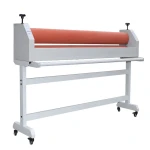
The range includes a compact 65 cm cold laminator for smaller and medium sized work, as well as a manual 160 cm roll laminator for wider signs, posters, photographs and large format graphics.
- Professional protection: Protect prints against scratches, moisture, dirt and repeated handling.
- Consistent finish: Apply gloss, matt, satin or specialist laminating films evenly across the print.
- Precise lamination: Controlled roller pressure helps reduce bubbles, wrinkles and uneven areas.
- Board mounting: Use a compatible laminator to mount self adhesive prints onto suitable sign and display boards.
- Efficient production: Create a more reliable workflow with less material waste and consistent results.
The right machine depends on your working width, production volume, material thickness and preference for manual or powered feeding. Contact us on +44 2036300130 or by email if you need help choosing a laminator, laminating film or complete print finishing solution.
![Laminator for cold lamination [65cm] width](/img/6/150x150/lam1001_1565866.webp "Laminator for cold lamination [65cm] width")
Professional Laminating Machines for Signs, Prints and Graphics
A professional laminating machine is an important tool for businesses that need to protect, mount and finish printed materials. With the right laminator, signs, posters, stickers, photographs, menus, presentation materials and graphic prints can receive a more durable surface and a consistent professional appearance.
Laminators are used by sign companies, print shops, advertising agencies, photographers, retailers, restaurants, schools and creative workshops. They can support both smaller productions and professional print finishing workflows where consistent quality, efficient finishing and reduced material waste are important.
The protection provided depends on the laminating film, ink, print medium, adhesive and final location. Lamination does not automatically make every print waterproof, resistant to sunlight or suitable for permanent outdoor use.
What Is a Laminating Machine?
A laminating machine feeds a print and protective film through a set of rollers. The rollers create even pressure so the adhesive contacts the print without unnecessary wrinkles, bubbles or uneven areas.
Professional roll laminators use laminating film supplied on rolls. They can handle significantly larger materials than traditional office machines designed for A4 and A3 laminating pouches.
A roll laminator can be used for:
- Protecting digital prints.
- Laminating posters and photographs.
- Finishing stickers and product labels.
- Protecting window graphics and vehicle advertising.
- Laminating signs and printed vinyl.
- Mounting self adhesive prints onto suitable boards.
- Applying transfer film and other compatible self adhesive materials.
- Producing menus, displays and retail graphics.
Benefits of Professional Lamination
Professional lamination can extend the useful life of printed materials by protecting them against scratches, moisture, dirt and general wear. It can also provide a consistent gloss, matt, satin or textured surface.
Gloss film can increase the visual depth and contrast of colours, while matt film can reduce glare and improve readability. A compatible laminated surface may also be easier to wipe clean than an unprotected print.
Controlled roller pressure can produce more consistent results than applying large films manually with a squeegee. Correct setup also reduces the risk of wrinkles, bubbles, misalignment and damaged materials.
Cold Lamination and Hot Lamination
Cold lamination uses a self adhesive film applied with roller pressure. The process does not require high temperatures, making it suitable for many digital prints, photographs, vinyl graphics and materials that may be sensitive to heat.
Cold lamination is commonly used for solvent prints, stickers, vehicle graphics, window decoration, posters, photographs, signs and approved floor graphics. The machines on this page are designed for roll based cold lamination using self adhesive films.
Hot lamination uses heat to activate adhesive inside a film or laminating pouch. This process is often associated with office machines used for documents, certificates and teaching materials.
The materials used for cold and hot lamination are different. A self adhesive roll film should not be treated as a replacement for a heat activated laminating pouch.
Roll Laminator or Pouch Laminator?
A pouch laminator is normally designed for paper in fixed formats such as A4 and A3. The document is placed inside a transparent pouch and passed through heated rollers.
A professional roll laminator uses film supplied on a roll and is designed for wider or longer materials. It is more suitable for signs, posters, stickers, photographs, vinyl graphics and large format prints.
The machines on this page are roll laminators and are not intended for traditional laminating pouches.
Manual or Powered Laminator?
A manual laminator is operated with a handle, while a powered machine uses a motor to feed material through the rollers. Both can produce professional results, but they are suited to different production requirements.
A manual roll laminator gives the operator direct control over the feeding speed. It can be an economical choice for occasional lamination, mounting and businesses requiring a wide machine without a powered feeding system.
A powered laminator provides more consistent feeding and can be useful for repeated jobs and larger production volumes. Depending on the model, features may include adjustable speed, a foot pedal and forward or reverse operation.
A powered cold laminator is not necessarily heated. Many professional models use a motor for feeding while applying the laminating film without heat.
Choosing Between a 65 cm and 160 cm Laminator
A 65 cm laminator is suitable for smaller and medium sized prints, posters, stickers, menus, retail materials and sign production where working space is limited. It can be a practical option for smaller sign companies, print shops, retailers, photographers, schools and creative workshops.
A 160 cm laminator is designed for wider materials produced with professional large format printers. It is suitable for wide posters, vehicle graphics, shop signs, window graphics, displays and mounting onto larger boards.
A wider machine requires a stable and level working area with sufficient space in front and behind it. There must also be enough room to handle rolls without bending or damaging them.
Choosing the Correct Working Width
The machine's working width should be greater than the widest print passing through the rollers. A small margin on each side makes it easier to align the material and feed it correctly.
Consider the width of your printer, commonly used media rolls, laminating film and any boards that will pass through the machine. You should also consider whether your production may move towards larger formats in the future.
A laminator that is significantly narrower than the printer can create a production bottleneck. A machine that is much wider than required may occupy unnecessary workspace.
Maximum Material Thickness and Roller Opening
The roller opening determines the maximum thickness that can pass through the laminator. This is particularly important when mounting prints onto PVC foam boards, card, aluminium composite panels or other rigid materials.
Check the machine's maximum roller opening, the actual board thickness and the total thickness of the print, adhesive and board. The board must also be flat and stable.
Never force a material through a roller opening that is too small. This can damage the rollers, shafts and adjustment system.
Choosing Laminating Film
Laminating film is not one universal product. Films vary in thickness, adhesive, surface finish, flexibility and expected service life.
Gloss Laminating Film
Gloss laminating film can create a reflective surface and increase the perceived depth and contrast of colours. It is often used for advertising graphics, vehicle decoration, stickers and photographic prints.
A glossy surface can create strong reflections under bright lighting. Matt or satin film may be more suitable for signs that must remain readable under several light sources.
Matt Laminating Film
Matt laminating film reduces glare and creates a more understated appearance. It is suitable for posters, exhibitions, menus, interior graphics and signs where readability is important.
Matt film can affect the perceived depth and contrast of colours. Produce a sample before completing a larger production if precise colour appearance is important.
Satin Laminating Film
Satin laminating film provides a finish between gloss and matt. It can reduce some reflections while maintaining more colour depth than a strongly matt surface.
Floor and Specialist Laminating Films
Floor graphics require a film developed and tested for the intended floor application. Standard gloss sign film should not be used as a substitute for an approved slip resistant floor laminate.
Specialist films are also available for applications requiring textured surfaces, easier cleaning or improved resistance to graffiti and selected chemicals. Always check the technical data for the individual product.
Match the laminating film to the print medium, intended location, required flexibility and expected service life.
Compatibility Between Print Vinyl and Laminate
The print material and laminating film should have compatible construction, adhesive and flexibility. A rigid laminate applied to flexible vinyl can restrict the material's ability to follow curved surfaces.
If the laminating film has a shorter expected service life than the print medium, the laminate may become the limiting factor for the complete product.
Before production, check:
- The type of print vinyl.
- The type and construction of the laminate.
- Adhesive compatibility.
- The expected indoor or outdoor application.
- Whether the material must follow curves or recesses.
- Whether the finished product must withstand cleaning or mechanical wear.
Laminating Solvent Prints
Prints produced with solvent or eco solvent printers normally require sufficient drying and outgassing time before lamination. A print may feel dry on the surface while solvent components remain inside the material.
Laminating too early can trap these components beneath the film. This may reduce adhesion, create bubbles, affect the properties of the vinyl or cause lifted edges.
Always follow the recommendations supplied by the printer, ink, print medium and laminating film manufacturers. The required time can vary according to ink coverage, printing mode, ventilation and material.
You can find compatible materials in our range of solvent print media.
Laminating Inkjet and Large Format Prints
Posters, photographs and graphics produced with large format printers can be laminated when the ink, print medium and film are compatible.
Water based inkjet prints may be sensitive to moisture and mechanical wear. Cold lamination can therefore be useful for maps, photographs, teaching materials, presentations and posters that will be handled repeatedly.
Textured, porous or treated surfaces may not provide reliable adhesion. Test the complete material combination before starting a larger production run.
Explore our range of large format print media for compatible papers and printable materials.
Mounting Prints onto Sign Boards
A laminator can also mount self adhesive prints onto compatible sign and display boards. The rollers provide even pressure while the print is applied.
Suitable boards may include:
- PVC foam boards.
- Aluminium composite panels.
- Card display panels.
- Smooth plastic boards.
- Other flat and stable sign materials.
The board must be clean, dry and free from sharp or damaged edges. A curved or damaged board may create uneven pressure and can potentially damage the laminator.
Preparing the Print and Laminating Film
Achieving a professional result starts with preparing the material correctly before it reaches the rollers. The print, film and working area must be clean and allowed to reach the temperature of the production room.
- Confirm that the print is dry and has completed the required outgassing period.
- Remove dust and loose particles from the print.
- Inspect the laminating film for wrinkles, damage and contamination.
- Allow cold rolls to reach room temperature.
- Confirm that the rollers are clean and parallel.
- Adjust the opening and pressure for the material thickness.
- Test the process using a smaller piece before laminating valuable work.
Dust and small particles become highly visible once trapped beneath the film. Keep the working area as clean as possible and use suitable cleaning products when preparing the workspace and equipment.
Roller Pressure and Feeding Speed
The rollers must create enough pressure for the laminating film to make even contact with the print. Insufficient pressure can cause poor adhesion and air pockets, while excessive pressure can stretch the material or distribute adhesive unevenly.
Pressure should be consistent on both sides. Rollers that are not parallel can cause the material to move sideways or create an uneven surface.
Begin with a slow and controlled feeding speed. This makes it easier to notice and correct alignment problems before they affect the complete print.
Avoiding Misaligned Feeding
A print or film that enters the rollers at an angle will normally move further out of alignment as the process continues. Carefully position the rolls and leading edge before beginning.
Support wide and heavy rolls correctly, make sure the material is not tighter on one side and monitor both edges during production. Do not pull strongly on material while it is between the rollers, as this can stretch the film and create tension.
How to Laminate a Print
- Prepare a clean and level working area.
- Confirm that the print has completed the required drying and outgassing period.
- Prepare a section of laminate slightly wider than the print.
- Adjust the roller opening and pressure.
- Attach the first edge of the laminate evenly to the print.
- Feed the material straight between the rollers.
- Remove the backing paper gradually and under control.
- Move the print through the machine at a consistent speed.
- Check the finished surface for bubbles, wrinkles and trapped dust.
The precise method depends on the laminator, the film backing and whether the material is supplied from a roll or as an individual sheet. Always follow the machine manual and film manufacturer's instructions.
Laminating Before Contour Cutting
When producing printed stickers and custom shaped graphics, the design is normally printed first. After drying and outgassing, the print is laminated and returned to a cutting plotter or print and cut machine.
Registration marks must remain readable after lamination. A highly reflective gloss film can affect some optical registration systems, so test the complete workflow with the intended printer and cutting plotter.
The cutting force should be adjusted for the combined thickness of the print vinyl and laminating film.
Laminating Stickers and Product Labels
Lamination can make stickers and labels more resistant to scratches, repeated handling, moisture and cleaning. Specialist films can also improve resistance to selected chemicals and sunlight.
Labels exposed to oil, solvents, heat or washing require a tested combination of print medium, ink and laminate. Perform a realistic application test before beginning complete production.
Laminating Vehicle Graphics
Printed vehicle vinyl is normally laminated to protect the ink and provide the required finish. The print vinyl and laminating film must have compatible flexibility.
A cast wrapping vinyl should be combined with a suitable cast laminate. A stiffer film can limit flexibility and create problems when applying graphics over curves and recesses.
Lamination does not replace correct installation. The vehicle surface must be cleaned, the print must receive sufficient outgassing time and the vinyl must be installed according to the manufacturer's instructions.
Laminating Menus and Presentation Materials
Menus, price lists, presentations and information materials are frequently handled and may benefit from a protective surface.
A roll laminator can be used for:
- Large menus and information boards.
- Information posters.
- Presentation boards.
- Retail and exhibition materials.
- Teaching displays.
- Maps and technical diagrams.
A traditional pouch laminator may be more practical for smaller A4 and A3 documents. A professional roll laminator is particularly useful for larger formats, self adhesive films and mounting onto boards.
Laminators for Different Industries
- Sign companies: Lamination of vehicle graphics, sign vinyl, stickers and shop signs.
- Print shops: Finishing posters, photographs and large format graphics.
- Advertising agencies: Producing campaign materials, displays and customer samples.
- Retailers: Producing promotional signs, window graphics and retail displays.
- Restaurants and hotels: Producing menus, signs and information materials.
- Schools and makerspaces: Protecting teaching displays, projects and creative work.
- Photographers and artists: Protecting and mounting photographic and graphic work.
Common Cold Lamination Problems
Air Bubbles Beneath the Film
Air bubbles can be caused by dust, insufficient roller pressure, uneven feeding or incorrect application of the film's leading edge. Check that the print and rollers are clean, the pressure is even and the backing paper is removed gradually.
Wrinkles in the Laminate
Wrinkles often occur when the film or print is not tensioned and aligned evenly. They may also be caused by excessive pressure or a damaged roll.
Material Moving Sideways
Material that moves sideways may indicate uneven roller pressure, incorrectly positioned rolls or poor initial alignment. Stop the process early and correct the setup when it is safe to do so.
Silver Areas Beneath the Film
A silver appearance may be caused by very small air pockets between the laminate and print, particularly on textured or uneven surfaces. The appearance may reduce as the adhesive settles, but an incompatible material combination may require a different solution.
Lifted Edges
Lifted edges can be caused by insufficient outgassing, incompatible materials, surface contamination, low roller pressure, excessive stretching or cutting too close to the printed design.
Cleaning and Maintaining the Laminator
Clean rollers are essential for professional results. Dust, adhesive and small material particles can leave marks on every subsequent production job.
Regular maintenance should include:
- Cleaning the rollers when necessary.
- Removing adhesive and vinyl residue.
- Checking that the rollers remain parallel.
- Inspecting handles, gears and moving parts.
- Checking roll holders and tension mechanisms.
- Cleaning the working table and feeding area.
- Inspecting cables and safety features on powered machines.
Only use cleaning products and methods recommended by the manufacturer. Sharp objects and aggressive solvents can damage the surface of rubber rollers.
You can also find squeegees and scrapers and mounting rollers for manual finishing and installation.
Safe Operation
Laminator rollers create strong pressure. Keep fingers, loose clothing, jewellery, tools and long hair away from the feeding area during operation.
- Read the machine manual before first use.
- Place the laminator on a stable and level surface.
- Use the emergency stop if the model includes one.
- Do not allow inexperienced operators to work without instruction.
- Do not remove trapped material while the rollers are moving.
- Disconnect powered machines before cleaning or servicing them.
A cold laminator does not use heated rollers, but the risk of trapping fingers or clothing remains significant.
Storing Laminating Film and Print Media
Laminating films and print media should be stored in a dry and clean environment protected from direct sunlight and significant temperature changes.
- Keep rolls inside their original packaging.
- Protect the edges against impacts and deformation.
- Avoid damp or dusty storage areas.
- Store large rolls on suitable holders.
- Allow cold materials to reach room temperature before use.
- Follow the manufacturer's storage and shelf life instructions.
A damaged roll edge can create wrinkles and alignment problems throughout the complete production.
Choosing the Right Laminating Machine
Before purchasing a laminator, consider:
- Application: Which products will normally be laminated?
- Working width: What are the widths of your printer and media rolls?
- Machine size: Is a 65 cm working width sufficient, or is 160 cm required?
- Operation: Should the machine be manual or powered?
- Production volume: How frequently will the laminator be used?
- Material format: Will you laminate individual sheets or longer rolls?
- Board mounting: Will the machine also mount prints onto rigid materials?
- Material thickness: What maximum roller opening is required?
- Workspace: How much space is available in front of and behind the machine?
- Laminating film: Which finishes and film types will be used?
A smaller machine may be ideal for stickers, posters and common sign formats. A 160 cm model is more suitable for wide printers, vehicle graphics and larger sign production.
Is a Laminating Machine a Good Investment?
For businesses that regularly outsource lamination or apply large films manually, a professional laminator can provide better control over delivery times, quality and production planning.
When assessing the investment, consider the machine price, laminating film, material waste, operator time, workspace, maintenance and the savings created by completing the process internally.
A laminator may also allow the business to offer more products while reducing production errors and customer complaints.
Frequently Asked Questions About Laminating Machines
What Is a Laminating Machine Used For?
A laminating machine applies protective film to prints, posters, photographs, stickers, signs and graphic materials. A roll laminator can also mount compatible self adhesive prints onto flat boards.
Is There a Difference Between a Laminator and a Laminating Machine?
There is normally no practical difference. Laminator is simply a shorter name for a laminating machine.
What Is the Difference Between Cold and Hot Lamination?
Cold lamination uses self adhesive film and roller pressure. Hot lamination uses heat to activate adhesive inside a film or laminating pouch.
Can These Machines Use Laminating Pouches?
No. The current machines are roll based cold laminators intended for self adhesive film. Laminating pouches are normally used with heated office laminators.
Can a Laminator Be Used for Posters and Photographs?
Yes, provided that the print medium and laminating film are compatible. Cold lamination is particularly useful for materials that should not be exposed to high temperatures.
Do All Signs and Stickers Need Lamination?
No. The need depends on the ink, print medium, location and expected exposure. Lamination is often recommended for outdoor graphics, vehicle advertising, floor graphics and products that are frequently handled or cleaned.
Why Must Solvent Prints Outgas Before Lamination?
Solvent components need time to evaporate from the print. Laminating too early can trap them and affect the adhesive, vinyl and finished result.
Can a Laminator Mount Prints onto Boards?
Yes, provided that the roller opening is large enough and the board is flat, stable and compatible with the print adhesive.
Which Working Width Should I Choose?
Choose a working width larger than your widest print and laminating film. A 65 cm model is suitable for smaller and medium sized work, while a 160 cm model is intended for large format production.
Is a Manual or Powered Laminator Better?
A manual laminator provides direct control and simple operation. A powered model can provide more consistent feeding and greater capacity. The correct choice depends on production volume, material format and budget.
Why Do Bubbles Appear Beneath the Laminating Film?
Bubbles can be caused by dust, uneven roller pressure, poor alignment, incompatible materials or an incorrect workflow.
Which Laminating Film Should I Choose?
Select the film according to the print medium, intended location, finish, flexibility and expected service life. The print vinyl and laminate should have compatible construction and durability.
Laminating Films, Print Media and Professional Tools
A complete laminating workflow requires more than the machine itself. SignProduction supplies laminating films, solvent print media, large format print media, squeegees, rollers and other tools for professional finishing.
Always use laminating films and print materials designed to work together and suit the final application.
Advice About Cold Laminators
At SignProduction, we can help you choose a laminating machine suited to your print width, production volume and finishing requirements. Our guidance can cover working width, manual or powered feeding, roller opening, laminating film, board mounting and the lamination of solvent prints.
Contact us on +44 2036300130 or by email if you need advice or a quotation for a professional laminator.