





Solvent Printers
Solvent Printers for Signs, Stickers and Vehicle Graphics
At SignProduction, you will find solvent printers and eco solvent printers for producing signs, stickers, vehicle graphics, window displays, banners and promotional materials. These printers work with compatible roll media, allowing sign makers, print shops and businesses to handle varied graphic production in their own workshops.
Our selection includes compact models such as the Roland BN2 20A and Roland BN2 30, alongside wider equipment for larger graphics and higher production volumes. Selected models combine printing and contour cutting, making it possible to produce shaped stickers, labels and printable garment transfers with one machine.
The right combination of solvent print media, compatible ink and finishing equipment is essential for consistent results. Prints exposed to frequent handling, cleaning or outdoor conditions may benefit from a suitable protective laminate applied with a laminating machine.
Contact us on +44 2036300130 or by email if you need help choosing a solvent printer, print width or complete production setup. We can also discuss maintenance requirements and the support options available for your equipment.
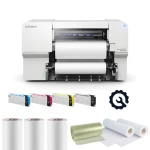
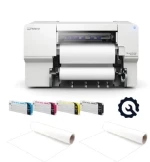
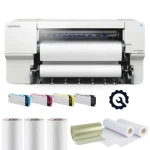
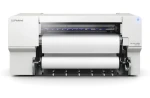
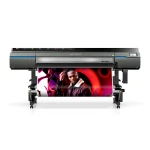
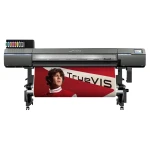
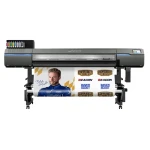
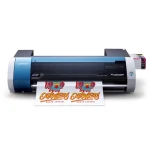
_1579763.webp "Roland VersaSTUDIO BN-20A Eco Solvent Printer Cutter")
Solvent Printers for Sign Making and Large Format Graphics
A solvent printer gives businesses the flexibility to produce signs, stickers, vehicle graphics, window displays, banners and other printed materials. Using compatible solvent or eco solvent ink, these printers reproduce photographs, lettering and colourful designs on a variety of roll media.
The technology is widely used in sign making because one printer can support many different applications. The combination of ink, print media, colour profiles and finishing determines how well the finished graphics suit their intended purpose.
At SignProduction, our range includes compact Roland models for smaller workshops and wider equipment for larger graphics and greater production demands. Selected printers also include integrated contour cutting, allowing printed designs to be cut into individual shapes.
What Is a Solvent Printer?
A solvent printer is an inkjet printer that uses ink containing solvents to carry the colourants onto compatible materials. As the print dries, these solvent components evaporate, leaving the printed image on the media.
Many modern graphic printers use eco solvent ink. Although this belongs to the solvent ink family, its precise characteristics depend on the formulation, so compatibility, drying requirements and handling instructions must be checked for the specific system.
Benefits of Solvent Printing
Solvent printing offers several practical advantages for businesses producing signs and promotional graphics:
- Varied applications: Produce stickers, banners, vehicle graphics, window displays and signage.
- Detailed colour reproduction: Print photographs, logos, gradients and lettering.
- Choice of media: Work with compatible vinyl, banner material, canvas, paper and specialist films.
- Integrated cutting: Selected models print and contour cut within the same device.
- Flexible quantities: Handle individual orders and repeat batches without traditional printing plates.
- Personalised designs: Change names, numbers, images and messages between jobs.
- Finishing options: Combine printing with lamination, cutting and mounting.
These advantages depend on selecting suitable materials and production settings. Durability and print quality are influenced by the entire process, not simply the printer itself.
What Can You Produce?
With suitable media and finishing equipment, a solvent printer can support a broad range of graphic applications:
- Stickers and decals: Product labels, company logos and promotional designs.
- Vehicle graphics: Lettering, branding, decorative graphics and compatible wrap prints.
- Window displays: Shop promotions, opening hours and decorative graphics.
- Sign panels: Printed adhesive graphics for mounting onto suitable boards.
- Banners: Advertising, event displays and temporary signage.
- Posters and retail graphics: Campaign materials and point of sale displays.
- Wall decoration: Wall stickers and images printed on appropriate wallcoverings.
- Floor graphics: Printed designs using materials suitable for the installation.
- Garment transfers: Designs printed onto compatible textile transfer media.
- Canvas prints: Photographs, artwork and decorative images.
Not every material is suitable for every printer or application. Check the ink compatibility, adhesive properties and intended use before starting production.
A Printer or a Combined Printer and Cutter?
A dedicated printer produces the image, while a separate cutting plotter can provide contour cutting where required. A combined printer and cutter carries out both operations within one device, which can be convenient when workspace is limited.
Compact options include the Roland BN 20A, Roland BN2 20A and Roland BN2 30. Wider models with printing and contour cutting include the Roland VG3 540, Roland VG3 640 and Roland XG 640.
The Roland XP 640 is a dedicated printer rather than a contour cutting model. A sheet separation function should not be confused with the ability to cut around individual printed designs.
How Print and Cut Production Works
A typical print and cut process involves the following stages, with adjustments according to the material and finishing requirements:
- Prepare the artwork at the correct dimensions.
- Add a suitable contour cutting path where required.
- Select the media profile and production settings in the RIP software.
- Load the material and check its alignment.
- Print the graphics with registration marks if needed for subsequent cutting.
- Allow the print to dry and outgas as specified by the ink and media manufacturers.
- Apply a compatible laminate if the application requires it.
- Reload and align the print for contour cutting where necessary.
- Remove excess material and inspect the finished graphics.
When lamination is needed, printing and cutting are separate stages even on a combined device. Registration marks allow compatible equipment to locate the printed design after the material has been removed and reloaded.
Contour Cutting Stickers and Labels
Contour cutting follows a digital path around a printed design. Clean paths, suitable bleed and correctly adjusted blade settings help produce neat edges without unwanted white borders.
A kiss cut cuts through the printed face material while leaving the backing intact. Cutting through the backing to create separate pieces requires an appropriate cutting mode and suitable equipment, so this should not be assumed to work identically on every model.
Choosing the Right Print Width
Base your choice of print width on the graphics you produce regularly, not only the largest job you might occasionally receive. Compact models can suit labels, smaller decals and garment transfers, while wider printers accommodate larger signs, banners and vehicle graphics.
Check the difference between the maximum media width and the actual printable area. Allow space for margins, registration marks and finishing, and consider whether larger graphics can be divided into panels.
Compatible Print Media
Our solvent print media category includes materials for different graphic applications. Depending on the printer and ink system, suitable media types can include:
- Printable adhesive vinyl
- Vehicle wrapping films
- Banner materials
- Compatible canvas
- Poster paper
- Window graphics films
- Printable textile transfer films
- Specialist wall and floor graphics media
Always confirm that the exact product is intended for your ink system. Similar looking films may have different coatings, adhesives or printing requirements.
Monomeric, Polymeric or Cast Vinyl?
Monomeric vinyl is commonly used for economical graphics on flat surfaces, particularly for shorter campaigns. Polymeric vinyl generally offers greater dimensional stability and can suit more demanding signage or gently curved surfaces, subject to the product specification.
Cast vinyl is typically chosen for complex vehicle contours and demanding wrapping work. The print film and laminate must form a compatible combination, with the flexibility and durability required for the installation.
Ink Colours and Configurations
CMYK combines cyan, magenta, yellow and black to reproduce a broad range of colours. Some printers support additional colours or white ink, but the available combinations depend on the model and its installed configuration.
The Roland BN2 20A uses CMYK, while the BN2 30 supports configurations with or without white ink. Confirm the configuration of the printer you are ordering rather than assuming that every available colour option is included.
White Ink on Clear or Coloured Media
On compatible equipment, white ink can provide an opaque base beneath colour graphics printed on transparent or coloured media. This can make designs more visible when the material itself does not provide a white background.
White ink introduces additional considerations for artwork, print order and maintenance. It should be chosen because your applications require it, with suitable time allowed for the manufacturer’s care routines.
Printheads, Resolution and Print Passes
Print quality depends on more than the advertised resolution. Printhead condition, media profiles, ink control and the selected print mode all influence fine detail, colour transitions and even coverage.
Modes using more print passes generally trade speed for improved output quality. Compare results at the settings suitable for your work rather than judging a printer only by its maximum speed.
Media Feeding and Roll Handling
Accurate feeding is particularly important for long graphics and subsequent contour cutting. Before starting a job, check:
- The supported roll width and weight
- Correct roll loading and alignment
- Pinch roller positions and pressure settings where adjustable
- Suitable media tension
- Feed calibration for the selected material
- Clear space for the material to travel without obstruction
A compatible take up system can help collect longer prints, but its use must match the printer and media instructions. Fresh prints must still receive any required drying and outgassing time before finishing.
Heating, Drying and Outgassing
Depending on the model, heaters support ink application and drying as the material moves through the printer. Their settings should follow the media profile and manufacturer guidance, since excessive heat can distort some films.
Surface dryness does not necessarily mean that outgassing is complete. Remaining solvents need time to leave the print before certain finishing operations, particularly lamination.
There is no single drying time that applies to every solvent print. Follow the requirements for the exact ink, media and print conditions rather than using a universal waiting period.
Protecting Solvent Prints with Lamination
A suitable laminating film can protect graphics against handling, abrasion and cleaning while providing the desired surface finish. Lamination is often relevant for vehicle graphics, floor graphics and other demanding applications.
Not every print needs a laminate. Choose according to the intended use, and ensure that the laminate’s flexibility, adhesive and surface properties suit the printed material.
Cold Lamination of Printed Vinyl
Cold lamination uses pressure to apply a suitable adhesive laminate to the print. A laminating machine helps control alignment and pressure across the working width.
Correct loading, clean rollers and suitable tension help prevent wrinkles and trapped air. Cold lamination does not remove the need to let solvent prints dry and outgas beforehand.
RIP Software for Solvent Printers
RIP software converts artwork into instructions the printer can use and controls important production settings. Depending on the software and equipment, it can manage:
- Print dimensions and placement
- Media profiles and colour management
- Resolution and print modes
- Ink limits and colour settings
- Job queues and repeated copies
- Nesting to use media efficiently
- Panel division for larger graphics
- Contour cutting paths and registration marks
Roland VersaWorks is commonly used with compatible Roland printers. Check the software supplied with your chosen model, its supported functions and computer requirements.
ICC Profiles and Colour Consistency
An ICC profile describes colour behaviour for a particular combination of printer, ink, media and print mode. Using a suitable profile helps the RIP produce more predictable results.
The same design can look different on glossy vinyl, matt film, paper and banner material. For important brand colours, produce a physical sample before the full run rather than relying entirely on the appearance of a computer screen.
Preparing Artwork for Production
Well prepared files reduce avoidable delays and wasted media. Check the following before printing:
- Correct dimensions and scale
- Sufficient image resolution at the final size
- Fonts embedded or converted to outlines where appropriate
- Suitable bleed and trimming allowances
- Closed, correctly named contour cutting paths
- Overprint and transparency settings
- Colour settings appropriate for the production process
The required image resolution depends partly on viewing distance. A large banner viewed from across a street does not necessarily need the same detail as a small label examined closely.
Stickers and Product Labels
A solvent printer with contour cutting can produce branded stickers, product labels, information decals and personalised designs in different shapes. Suitable artwork can include photographs, gradients, small text and individual numbering.
Choose the adhesive and surface protection according to where the label will be used. When printing QR codes or barcodes, test that the finished item remains readable at its actual size and with the selected laminate.
Vehicle Graphics and Wraps
Solvent printing is widely used for vehicle lettering, company branding and wrap graphics on compatible films. The material combination and installation process are particularly important where graphics must follow curves or recesses.
- Choose a print film suited to the vehicle surface.
- Use a compatible laminate with the required flexibility.
- Select an appropriate ink and media profile.
- Allow the specified drying and outgassing time.
- Prepare and clean the surface correctly.
- Follow the film manufacturer’s installation instructions.
Monomeric sign vinyl is not a substitute for suitable wrap film on complex bodywork. For demanding contours, use a material system explicitly intended for the application.
Banners and Larger Displays
Wider solvent printers can produce graphics for exhibitions, retail promotions, events and outdoor advertising. The finished banner may require hems, eyelets, pockets or other finishing suited to its mounting method.
Consider the installation location, wind exposure, material strength and any site requirements. Graphics wider than the printable area can sometimes be divided into panels, with suitable overlap and joining allowances.
Window Graphics
Window graphics can include promotional images, opening hours, decorative patterns and privacy designs. Options depend on the chosen film and may include opaque, transparent or perforated media.
Plan whether the graphic will be applied inside or outside and from which side it will be viewed. Transparent applications may need white ink or a suitable backing to achieve the intended appearance.
Printable Textile Transfers
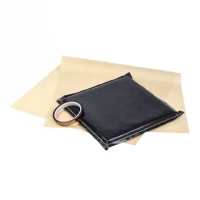
Compatible printable textile transfer films allow a solvent printer to produce colourful garment designs. After printing, drying, cutting and removing excess material, the design is transferred using a suitable heat press.
This is a different process from DTF printing. Use transfer media approved for the solvent ink system, and follow its instructions for application tape, temperature, pressure, pressing time and fabric compatibility.
Production Capacity and Realistic Turnaround
Printing speed is only one part of the time needed to complete an order. A realistic production schedule also includes:
- Artwork preparation and customer approval
- Media loading and setup
- Printing at the required quality
- Drying and outgassing
- Lamination where needed
- Cutting, weeding and finishing
- Inspection and packing
A combined printer and cutter offers a compact arrangement, while separate equipment can allow one job to print as another is being cut. The best configuration depends on your order mix, available space and workload.
Ventilation and the Working Environment
Install the printer in an environment that meets the manufacturer’s requirements for ventilation, temperature and humidity. Keep enough space around the equipment for loading, maintenance and safe material handling.
Read the safety data sheets for inks and cleaning products, and follow the specified handling and disposal instructions. Eco solvent equipment still needs an appropriate working environment, even when odour seems limited.
Routine Maintenance
Consistent maintenance helps preserve print quality and reduce avoidable interruptions. The exact schedule varies by model, but typical tasks include:
- Running nozzle checks at the recommended intervals
- Following the prescribed cleaning procedures
- Inspecting and cleaning the capping area as instructed
- Checking wipers and replacing them when required
- Keeping accessible rollers and media guides clean
- Monitoring waste ink levels
- Following ink agitation or circulation instructions where applicable
- Replacing consumable maintenance parts when specified
- Following the correct procedure during periods of inactivity
Use only approved cleaning materials and methods. Do not assume that infrequent printing removes the need for maintenance or that disconnecting the power is appropriate during idle periods.
Troubleshooting Common Printing Problems
If output quality changes, start with the checks described in the printer manual. Common issues and relevant areas to investigate include:
- Banding: Check the nozzle pattern, feed calibration and selected print mode.
- Missing colours: Inspect the nozzle test and ink status before following the recommended recovery procedure.
- Unexpected colours: Review the media profile, artwork settings and ink configuration.
- Wet or smeared prints: Check media compatibility, ink limits and drying settings.
- Uneven feeding: Inspect roll alignment, tension and roller positions.
- Misaligned contour cuts: Check registration marks, cutting calibration and material loading.
- Incomplete or excessive cutting: Review blade condition, extension and cutting force.
- Wrinkles or bubbles after lamination: Check outgassing, cleanliness, tension and laminate compatibility.
- Lifting edges after application: Review surface preparation, drying, material selection and installation conditions.
These symptoms can have more than one cause. If routine checks do not resolve the problem, seek support instead of repeatedly applying stronger cleaning cycles or making unsupported adjustments.
Storing Ink and Print Media
Store ink and media within the conditions specified by their manufacturers, away from unsuitable heat, moisture and direct sunlight. Observe expiry dates and rotate stock so older compatible supplies are used first.
Protect printable surfaces from dust and contamination, and allow materials to acclimatise where required. Poor storage can affect feeding, adhesion and colour consistency before printing begins.
How Long Do Solvent Prints Last?
There is no single lifespan that applies to all solvent prints. Durability depends on the ink, media, laminate, installation, exposure to sunlight, weather and cleaning.
The stated lifespan of an unprinted vinyl should not automatically be treated as the lifespan of the finished graphic. Refer to the specifications for the complete material combination and its intended use.
Solvent Printing Compared with UV Printing
Solvent printing is commonly used for flexible roll media in sign and graphics production. UV printers use ink cured by UV light and can support different applications depending on their construction and ink system.
Some UV printers are designed for direct printing onto objects or rigid materials, while others handle roll media. Choose according to the products you intend to make, the required flexibility and the finishing process rather than treating every UV printer as a flatbed alternative.
Solvent Printing Compared with Aqueous Large Format Printing
Aqueous large format printers use water based ink systems and are often selected for applications such as drawings, posters and presentation graphics on suitable media. Solvent systems are commonly chosen for compatible adhesive vinyl, banners and sign production.
There can be overlap between their applications, but their inks and media are not interchangeable. Compare the complete printing system against your requirements for materials, finishing and exposure.
Choosing a Solvent Printer
Before selecting equipment, consider these practical questions:
- Which products will you print most frequently?
- What printable width do those jobs require?
- How much production capacity do you need?
- Is integrated contour cutting important?
- Which media types will you use?
- Do your applications genuinely require white or additional ink colours?
- What drying and finishing stages must be accommodated?
- Is the available workspace suitable for operation and ventilation?
- Can you maintain a consistent cleaning and maintenance routine?
- What installation, training and support arrangements are available?
Budget for the complete setup, including software, ink, media, finishing equipment, cleaning supplies and workspace. The printer purchase price alone does not represent the full cost of production.
Applications for Different Businesses
Solvent printing can support sign companies, print shops, vehicle graphics specialists, retailers and businesses producing their own promotional materials. Smaller workshops may focus on labels and personalised products, while larger operations may need wider equipment for signage and repeat production.
Educational workshops and makerspaces can also use the technology where suitable supervision, maintenance and working conditions are provided. The equipment should match both the intended work and the resources available to operate it.
Frequently Asked Questions About Solvent Printers
What is the difference between solvent and eco solvent printing?
Eco solvent printing uses a type of solvent ink commonly found in modern graphic printers. The specific formulation determines its media compatibility, drying behaviour and handling requirements.
Can every solvent printer also cut?
No. Integrated contour cutting is available on selected models, while dedicated printers require a separate compatible cutter for shaped graphics.
Which materials can I print on?
Suitable materials can include adhesive vinyl, banners, canvas, paper, window films and specialist transfer media. Each material must be compatible with the printer and its ink system.
Does every solvent print need lamination?
No. The need for lamination depends on the application, although additional protection is often useful for vehicle graphics and prints exposed to frequent handling, abrasion or cleaning.
Why must prints dry before lamination?
Remaining solvent components need time to evaporate. Laminating too early can trap them and affect the film, adhesive or finished appearance, so follow the specified outgassing requirements.
Can I make stickers with a solvent printer?
Yes. Print onto suitable adhesive media and use integrated contour cutting or a compatible separate cutter to produce the required shapes.
Can solvent prints be used outdoors?
Yes, when the ink, media and any laminate are suitable for outdoor use. Their durability depends on the complete material combination and the conditions in which the graphics are installed.
Can a solvent printer print vehicle wrap film?
Yes, provided the wrap film is compatible with the ink system. Use an appropriate film and laminate combination, and follow the required drying and installation instructions.
How much maintenance is required?
Expect regular nozzle checks, cleaning and inspection according to the printer manual. Maintenance remains important during quieter periods, and some ink configurations require additional care.
Which solvent printer should I choose?
Start with your required print width, production volume, materials and cutting functions. A compact Roland model may suit smaller graphics, while larger formats and heavier workloads may justify wider equipment.
Ink, Media and Accessories
Reliable production depends on supplies suited to the printer and the task. Explore our solvent printer inks, compatible print media and solvent printing accessories when planning your setup.
Check compatibility before ordering replacement ink or cleaning products. Products intended for other printing technologies should not be substituted simply because their packaging or colour names look similar.
Planning the Investment and Enquiring About Leasing
Consider both the initial purchase and ongoing expenses, including consumables, maintenance, finishing and operator time. A balanced investment should reflect realistic demand and the types of orders you expect to produce.
If you are interested in leasing or other payment arrangements, contact us to discuss whether these are available for your business and chosen equipment. Any financing option should be assessed against its actual terms and total cost.
Advice, Support and Roland Printer Service
At SignProduction, we can help you assess print width, cutting functions, ink configuration, media, software and finishing requirements. We can also discuss a complete production setup for the products you intend to make.
Ask about Roland printer service and the support arrangements available for your model and location. Confirming maintenance and assistance in advance helps you plan for everyday operation.
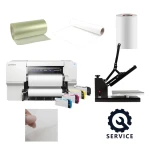
Contact us on +44 2036300130 or by email for advice or a quotation for a solvent printer, compatible materials and finishing equipment.