








Large Format Printers
Large Format Printers for Technical Drawings, Posters and Presentations
At SignProduction, you will find large format printers for CAD drawings, building plans, posters, maps and presentation graphics. They are a practical choice for architects, engineers, construction companies, schools, design studios and businesses that need to produce large documents on their own premises.
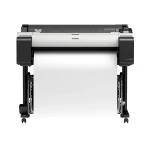
Our current selection includes the Canon imagePROGRAF TM 350 and a printer package. This 36 inch model combines a five colour pigment ink system with the capacity to handle A0 drawings and colourful graphic prints on compatible paper and other media.
A large format printer can give your team quicker access to revised plans, campaign posters and meeting materials. Technical documents benefit from clear lines and readable text, while presentations and advertising graphics require suitable paper, accurate colours and appropriate print settings.
The choice of print media is just as important as the printer itself. Explore our large format paper, Canon ink and printing accessories, and consider a laminating machine for compatible prints that require additional protection.
Contact us on +44 2036300130 or by email if you need advice about print width, A0 printing, paper compatibility or a complete large format printing setup.
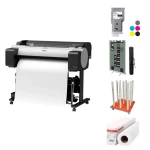
Large Format Printers for CAD Drawings, Posters and Graphic Printing
A large format printer brings the production of drawings, posters and presentation materials into your own workplace. It gives your team greater control over document revisions, paper selection and printing schedules, particularly when updated plans or graphics are needed at short notice.
What Is a Large Format Printer?
A large format printer handles paper and other compatible media wider than those used by standard A4 and A3 office printers. These inkjet printers can reproduce technical lines, text, photographs and colour graphics, making them useful for both technical documentation and visual communication.
Typical applications include:
- CAD drawings, floor plans and construction documents
- Maps, diagrams and engineering illustrations
- Advertising posters and shop displays
- Teaching materials and project presentations
- Photographs and decorative graphics on suitable media
Large Format Printer, Plotter Printer or A0 Printer?
The terms plotter printer and CAD printer are often used for large format printers intended for technical drawings. An A0 printer is a model capable of accommodating the A0 paper format, which measures 841 × 1189 mm.
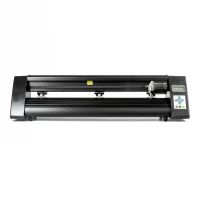
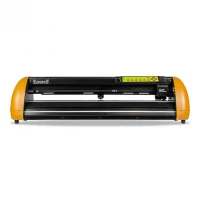
A printing plotter should not be confused with a cutting plotter. The former applies ink, while the latter uses a blade to cut shapes from compatible materials.
Print Width and Paper Formats
The required print width depends on the largest documents you expect to produce. Common sizes include 24 inch models for A1 work, 36 inch models for A0 drawings and wider printers for larger graphics.
The Canon imagePROGRAF TM 350 in our current range supports media up to 36 inches wide. It accommodates A0 documents and smaller formats, with the printable area depending on the paper size, margins and selected settings.
CAD Drawings and Technical Documents
For architects, engineers and construction teams, clear linework and readable annotations are essential. Floor plans, installation diagrams and detailed drawings need to retain their dimensions and remain easy to interpret.
Before printing, check the document size, orientation and drawing scale. Automatic page fitting can resize a document, so it should not be used when the original scale must be preserved.
Posters and Presentation Graphics
The same printer can also produce campaign posters, classroom displays, maps and presentation graphics. Choosing an appropriate paper finish helps match the appearance of the print to its purpose, whether that is a simple information notice or a colourful customer presentation.
Our large format print media include options for different applications. Always check that the selected material is suitable for the printer and its ink system.
Pigment Ink and Print Quality
The Canon imagePROGRAF TM 350 uses five pigment inks: matte black, black, cyan, magenta and yellow. Its maximum resolution of 2400 × 1200 dpi supports detailed output, although the source file, paper coating and quality settings also influence the finished result.
Select the correct media setting when changing paper types and use cartridges intended for the model. Explore our Canon ink for compatible consumables.
Roll Paper, Sheets and Automatic Cutting
The TM 350 accepts both roll paper and individual sheets. Rolls provide flexibility for different document lengths, while supported sheets can be useful for individual jobs.
The built in cutter separates finished prints from suitable roll media with a straight cut across the paper. It does not contour cut around designs, and some materials require a different cutting method. Borderless printing is available on supported roll media, not individual sheets.
Choosing Paper for the Job
Paper affects colour appearance, handling and cost. Check the roll width, core size, thickness and coating against the printer specifications before ordering.
- Standard paper: A practical option for drawings, drafts and everyday documentation.
- Coated paper: Suitable for presentations and graphics that benefit from stronger colour reproduction.
- Photo paper: Available in finishes suited to photographs and promotional prints.
- Compatible canvas: An option for decorative artwork where the material is approved for the printer.
You can also browse our printing accessories and consumables when planning your regular supplies.
Software, Connectivity and Daily Output
The TM 350 provides USB, Ethernet and wireless connectivity, allowing it to fit into different office arrangements. File handling depends on the application, printer driver and supported formats, so check compatibility with your existing software.
When assessing capacity, consider your usual document sizes and quality settings as well as the time needed to load paper, process files and collect prints. A quoted maximum speed will not represent every drawing or poster.
Lamination and Print Protection
A laminating machine can add surface protection to suitable posters, maps and frequently handled graphics. Match the film to the ink, paper and intended application, and allow prints to dry as recommended before finishing.
Lamination does not automatically make every print suitable for outdoor use. The durability of the complete combination should be checked for the conditions it will face.
Running Costs and Maintenance
Look beyond the purchase price when comparing equipment. Ink, paper, maintenance supplies and wasted prints all contribute to operating costs, along with the time spent preparing and finishing each job.
Follow the manufacturer's maintenance schedule, check ink levels and use nozzle checks when investigating missing colours or uneven output. Keep paper clean and dry, and follow the storage recommendations supplied with each material.
Advice About Large Format Printers
At SignProduction, we can help you assess document size, print volume, media compatibility and finishing requirements. Whether you need a standalone printer or a complete printing setup, our customer service team is available to discuss your requirements.
Contact us on +44 2036300130 or by email for advice or a quotation for a large format printer.