





Sublimation Printers
Sublimation Printers for Textile Printing and Promotional Products
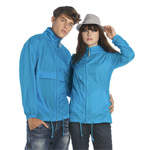
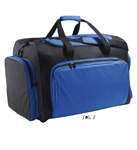
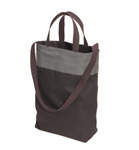
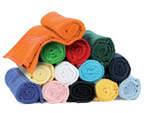
Produce vibrant designs for polyester clothing, coated mugs, photo panels, mouse mats and promotional products with a sublimation printer from SignProduction. The process combines detailed colour printing with heat transfer, making it suitable for individual personalised items as well as repeat production.
Your design is printed onto sublimation paper using compatible sublimation ink, then transferred to the product with a suitable heat press.
Our selection covers three production formats:
- Brother SP1 A4 sublimation printer for mugs, smaller designs and compact workspaces.
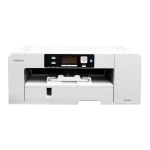
- Sawgrass SG1000 A3 sublimation printer for larger artwork or several smaller transfers on one sheet.
- Sawgrass VJ628 roll-fed sublimation printer for larger transfers and ongoing production.
Standard sublimation works best on white or light-coloured polyester and products with a sublimation-compatible coating. Choose suitable sublimation blanks and materials to achieve a smooth finish without a raised transfer layer.
Explore our complete production packages, or contact us on +44 2036300130 or by email for help choosing a printer, heat press and supplies for your products.
Sublimation Printing for Textiles, Signs and Promotional Products
A sublimation printer allows you to turn digital artwork into colourful clothing, branded merchandise, photographs and decorative products. It is particularly useful for designs containing fine details, gradients and several colours, where each item may need a different name, image or reference.
On suitable materials, the dye becomes part of the polyester fibres or the product’s coating instead of forming a raised layer. This creates a smooth finish that retains the feel of the underlying material.
The final result depends on the complete process, including the printer, ink, paper, colour settings, heat press and product blank. Matching these elements is essential for consistent production.
What Is a Sublimation Printer?
A sublimation printer uses specialist sublimation ink to produce a transfer on coated paper. The design is then applied to a compatible textile or object using heat and pressure.
During pressing, the dye is released as a gas and enters the polyester fibres or suitable polymer coating. It remains within that material as the product cools.
The printers in this category therefore print the transfer, not directly onto the finished object. A separate heat press or another approved transfer method completes the process.
How the Sublimation Process Works
- Create the artwork and size it for the intended product.
- Mirror the design where required by the transfer method.
- Select the correct printer, ink, paper and colour settings.
- Print onto the designated side of the sublimation paper.
- Trim and position the transfer on the product.
- Secure it with suitable heat-resistant tape when needed.
- Apply the recommended temperature, pressing time and pressure.
- Remove the paper and cool the item according to its instructions.
- Inspect the colours, placement and overall finish.
Press settings are product-specific. A polyester garment, ceramic mug and coated metal panel can require different conditions, so one general setting should not be used for every application.
Advantages of Sublimation Printing
Sublimation is well suited to businesses that need detailed designs and flexible personalisation.
- Photographic detail: Reproduce images, illustrations, lettering and colour gradients.
- Vibrant colour: Achieve strong colour reproduction on suitable white or light-coloured materials.
- Smooth finish: Avoid a raised vinyl layer on compatible textiles and coated products.
- Individual designs: Change names, numbers or photographs between items.
- Small-batch flexibility: Produce single pieces and short runs without traditional printing plates.
- Different production scales: Choose compact sheet-fed equipment or a larger roll-fed printer.
- Varied applications: Work with suitable clothing, drinkware, photo panels and merchandise.
Because the dye is incorporated into the material, it does not normally crack or peel like an applied film. However, washing, sunlight, abrasion and chemicals can still affect the product and its colours over time.
Suitable Materials for Sublimation
Standard sublimation requires polyester or a compatible polymer surface. Heat resistance alone does not make an ordinary mug, metal sheet or plastic object suitable.
Common applications include:
- White and light-coloured polyester garments
- Polyester sportswear and performance clothing
- Ceramic mugs with a sublimation coating
- Compatible tumblers and drinking bottles
- Mouse mats with a polyester printing surface
- Coated aluminium signs and photo panels
- Polyester cushion covers and interior textiles
- Coated keyrings, badges and promotional items
- Specialist plastic products developed for sublimation
Browse our sublimation blanks and materials and check the printing instructions for the particular item before production.
Sublimation on Polyester Clothing
Polyester is the main textile fibre used for sublimation. The dye enters the fibres without adding a thick surface layer, making the technique useful for sportswear and other lightweight garments.
A high polyester content generally produces stronger colours. On blended fabrics, the polyester portion accepts the dye while other fibres may not, resulting in a softer or more mottled appearance.
Fabric construction, colour and finishing treatments also influence the outcome. Test unfamiliar garments before preparing a larger order.
Cotton and Dark Textiles
Traditional sublimation ink does not form a durable direct print on ordinary 100% cotton. Cotton decoration requires a different approach, such as DTF, suitable heat transfer vinyl or a dedicated cotton transfer system.
ChromaBlast and similar specialist systems should not be confused with standard polyester sublimation. They require their own compatible ink, paper and application process.
Dark garments present another limitation because standard sublimation inks are transparent and do not include white. The fabric colour shows through the design, so white and very light backgrounds give the clearest results.
For cotton or dark clothing, consider DTF printing or suitable heat transfer vinyl.
Printing Mugs, Tumblers and Bottles
Drinkware must have a sublimation-compatible coating and be suitable for the transfer temperature. Ordinary ceramic mugs or untreated bottles cannot be assumed to provide the same result.
A mug press uses a shaped heating element to hold the transfer against the product. Taller, wider or tapered drinkware may need a different element or another transfer method approved by the blank supplier.
Before starting, check:
- The product’s diameter, height and shape
- Compatibility with the press and heating element
- Recommended temperature, time and pressure
- Artwork placement around handles and drinking edges
- Even contact across the complete design
- Paper removal and cooling instructions
Coated Metal Panels and Other Hard Products
Sublimation-coated aluminium can be used for photographs, nameplates, awards, decorative panels and selected signage. The coating must be intended for sublimation; raw metal or an ordinary painted finish is not automatically suitable.
Glass, wood, stone and plastic products also need a compatible surface or a product-specific sublimation construction. Plastics must tolerate the transfer process without warping or losing their finish.
For outdoor signs, check the blank supplier’s durability information. Suitability for sublimation does not guarantee long-term outdoor colour stability.
Sublimation Paper and the Correct Printing Side
Sublimation paper is designed to hold the printed dye temporarily and release it during heat transfer. Its coated printing side helps control ink absorption and preserve detail.
Printing onto the wrong side can cause weak colours, uneven transfer or excessive ink spread. Always identify the print side from the paper supplier’s instructions rather than relying on appearance alone.
The paper should also suit the printer and application. Sheet-fed production of mugs and small items can require different handling from roll-fed textile transfers.
Choosing Compatible Sublimation Ink
Use sublimation ink matched to the printer’s printhead, ink system and colour settings. The correct combination helps maintain reliable ink flow and predictable colour reproduction.
Do not mix ordinary inkjet ink with sublimation ink or treat different transfer ink systems as interchangeable. Any change of ink chemistry should follow an explicitly supported manufacturer procedure.
Our supplies include products for Brother and Sawgrass printers, but compatibility must be checked against the exact printer model and ink system.
Preparing Artwork and Mirroring Designs
Artwork should be created at an appropriate size and resolution for the finished product. Enlarging a small, low-resolution image will not restore missing detail.
For the usual face-down transfer process, text and asymmetrical artwork must be mirrored before printing. Some software performs this automatically, so check the settings to avoid reversing the design twice.
Transfers can look dull or less saturated on paper before pressing. Assess the colour on a properly transferred sample, not from the unpressed sheet alone.
Colour Management and ICC Profiles
A screen produces colour with light, while the finished product reflects light from printed dye and its underlying surface. Matching the two requires consistent colour management.
An appropriate ICC profile or manufacturer-provided print setting helps account for the printer, ink and media combination. For predictable results:
- Use the recommended colour settings for the printer and software.
- Select the correct paper and product type.
- Avoid applying conflicting colour corrections in multiple programs.
- Keep pressing conditions consistent.
- Use a reasonably calibrated display.
- Produce a physical sample for important brand colours.
There is no universal rule that every sublimation file must be RGB or CMYK. Follow the recommended process for your software, and avoid unnecessary conversions between colour spaces.
Selecting a Suitable Heat Press
The heat press must suit the shape and size of the product, as well as the transfer area.
- Flat heat presses are used for suitable garments, mouse mats, photo panels and other flat blanks.
- Mug presses accommodate compatible cylindrical drinkware.
- Tumbler presses use elements suited to particular bottles and taller drinking vessels.
- Cap presses can support compatible curved textile products.
- Larger transfer presses or calenders are used for suitable wide-format and continuous textile work.
Choose a pressing area large enough for the complete design. Pressing sections separately can introduce overlaps, colour differences or visible marks.
Temperature, Time and Pressure
Temperature, pressing time and pressure work together. Insufficient heat or contact can leave colours weak, while excessive heat or prolonged pressing can cause bleeding, discolouration or damage.
The required settings depend on the material, coating, thickness and construction of the press. Follow the blank supplier’s instructions and test before committing to a batch.
The displayed temperature may differ from the actual temperature across the platen. Uneven heating or pressure can create inconsistent results, so check the equipment regularly using the manufacturer’s recommended method.
Preparing Textiles and Positioning Transfers
A short pre-press may help remove moisture and creases from compatible garments, where the supplier recommends it. Excessive preheating can leave shine marks or affect the fabric, so use only the preparation needed.
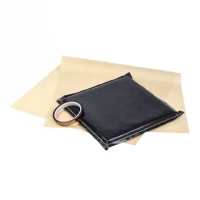
Seams, zips and raised edges can prevent even contact around the artwork. A suitable pressing pad can help support the printing area, but its purpose is to improve contact rather than make the dye penetrate more deeply.
Keep the product and transfer clean. Lint, dust and loose fibres can leave visible marks after heating.
Heat-Resistant Tape and Protective Paper
Suitable heat-resistant tape and press accessories help keep the transfer in position and protect the equipment.
Use clean protective paper where specified to prevent excess dye from reaching the platen or another part of the garment. Replace contaminated sheets because residual dye can transfer onto later products.
Reusable covers are not always substitutes for protective paper and can alter heat transfer. Follow the instructions for the blank and pressing method.
Avoiding Ghosting and Uneven Prints
Ghosting appears as a faint duplicate edge when the transfer moves while the dye is still active. Secure the paper where appropriate, open the press smoothly and remove the transfer without sliding it across the hot surface.
Pale patches can result from uneven contact, insufficient heat or an inconsistent coating. Check that the product is positioned correctly and that the press applies suitable pressure across the design.
Blurred edges can also be caused by moisture, excessive heat, too much ink or low-quality artwork. Change one setting at a time so that the cause can be identified.
Dye Migration in Polyester
Some polyester fabrics contain dyes that can move when reheated. This may affect the appearance of a transferred design, particularly on strongly coloured garments.
Standard sublimation is mainly used on light fabrics, but the garment’s original colour and finishing treatments still matter. Test new textile products using the intended transfer conditions before accepting them for regular production.
Washing and Caring for Sublimated Products
A correctly transferred design in polyester fibres does not normally crack or peel as a surface film would. Nevertheless, the garment can wear, pill or lose colour through use.
Follow the textile’s care label and the blank supplier’s advice. Suitable washing temperatures, mild detergents and appropriate drying help preserve both the fabric and the design.
For mugs, bottles and other hard products, cleaning suitability depends on the particular blank and coating. Do not assume that every sublimated item is dishwasher-safe.
Printer Maintenance and Supply Storage
Regular maintenance supports consistent printing and helps prevent nozzle problems. Depending on the model, this may involve:
- Performing nozzle checks
- Running cleaning cycles when required
- Following the recommended usage and standby routine
- Checking ink levels and expiry dates
- Replacing maintenance or waste ink containers
- Keeping the paper path and working area clean
- Updating supported printer software
Repeated deep cleaning consumes ink and may not solve an underlying fault. If nozzle problems continue, investigate the cause or seek support.
Store ink and paper according to their instructions, away from unsuitable heat, humidity and direct sunlight. Keep paper protected from dust and moisture, and allow cold supplies to reach the appropriate working temperature before use.
A4 Sublimation Printing for Smaller Products
An A4 sublimation printer is a practical starting point for mugs, mouse mats, small garment designs and other compact promotional items. It can fit into a modest workspace while allowing individual products and short runs.
The Brother SP1 A4 sublimation printer is the compact option in this category. It suits businesses, clubs and creative users whose designs fit within its supported paper size and printable area.
Check the dimensions of your largest planned design, rather than choosing a printer solely around your smallest products.
A3 Sublimation Printing for Larger Designs
An A3 printer provides more room for garment artwork, photo panels and multiple smaller transfers arranged on one sheet. This can reduce paper changes and offer greater flexibility as the product range grows.
The Sawgrass SG1000 sublimation printer supports A3 printing through its standard tray. Larger supported formats require the appropriate optional bypass tray.
A larger sheet does not automatically increase the size your heat press can handle. Plan the printer and transfer equipment together.
Roll-Fed Sublimation Printing
A roll-fed printer is useful for larger transfers, repeated artwork and longer production runs. Applications can include compatible sportswear panels, interior textiles and display graphics within the equipment’s working width.
The Sawgrass VJ628 large-format sublimation printer provides the roll-fed option in this category.
Larger prints also need suitable handling space and transfer equipment. Depending on the work, this may involve a larger flat press or a compatible calender.
Production Capacity and Running Costs
Printer speed is only one part of daily production capacity. Artwork preparation, printing, trimming, positioning, pressing, cooling and packing all take time.
In mug production, the heat press may limit output even when transfers print quickly. For garments, positioning and manual handling can be equally important.
Calculate costs across the complete process, including:
- Ink and transfer paper
- Blank products
- Tape and protective materials
- Electricity for printing and pressing
- Maintenance supplies and waste ink
- Operator time
- Samples and unsuccessful transfers
- Packaging and delivery
Personalisation can add value, but it also requires time for artwork changes, approval and quality checks.
Environmental Considerations
Digital sublimation allows production to follow actual orders, which can help avoid excess stock and unnecessary printing. Reusable artwork and consistent settings may also reduce rejected products.
However, sublimation is not automatically an environmentally friendly process. Its impact includes heat-press energy, transfer paper, ink packaging, the materials used in the blank and the product’s eventual disposal or recycling.
Accurate setup, careful purchasing and reliable production are practical ways to limit waste.
Applications in Signmaking and Promotional Products
For signmakers, sublimation can complement other equipment by producing coated nameplates, photo panels, small signs, awards and branded merchandise.
It is especially useful for detailed indoor graphics and individually personalised items. Outdoor signage requires a material and printing process supported for the intended exposure.
Promotional applications include coated mugs, drinking bottles, mouse mats, keyrings, cushions and photographs on suitable panels. These products can suit webshops, agencies, clubs and businesses producing merchandise in house.
Sportswear, Schools and Creative Workspaces
Polyester sportswear can be decorated with club logos, names, numbers and sponsor artwork without adding a thick printed layer. Larger patterns may be printed onto fabric panels before sewing, which requires suitable printing, transfer and garment-production equipment.
Schools, clubs and makerspaces can also use sublimation to connect digital design with physical products. Projects can introduce artwork preparation, colour management, product design and basic production costing.
Heat presses have very hot surfaces, so users need appropriate instruction and supervision.
Sublimation Compared with DTF, Vinyl and UV Printing
Sublimation is most suitable for light-coloured polyester and compatible coated products. It provides detailed colour graphics without a raised transfer layer.
DTF printing offers more flexibility for cotton, dark garments and different fibre blends. Its transfer sits on the textile and can include a white base beneath the colours.
Heat transfer vinyl is useful for lettering, numbers, logos and specialist finishes such as glitter, metallic and reflective effects. The correct vinyl must be selected for the fabric.
UV printing can print directly onto many suitable objects and surfaces. It may be more appropriate when the product cannot tolerate heat transfer or does not have a sublimation-compatible surface.
Common Sublimation Problems
Weak Colours
Check the paper side, colour settings, pressing conditions and product compatibility. Remember that an unpressed transfer can naturally look less vibrant.
Incorrect Colours
Check the ink system, media settings and colour management. Use a transferred sample to assess changes.
Double Edges or Ghosting
Prevent the paper from moving during pressing, opening and removal.
White or Pale Patches
Inspect contact, pressure, heat distribution and the condition of the coating.
Blurred Detail
Check the original artwork and investigate excess heat, moisture, ink loading or movement.
Yellowing or Scorch Marks
Confirm that the material is suitable and that the pressing conditions remain within its instructions.
Dots or Unwanted Marks
Remove dust and fibres, and check the cleanliness of the press and protective paper.
Reversed Text
Check the mirroring settings before printing.
Dye Transferring onto Later Products
Replace contaminated protective paper and clean the equipment according to its instructions.
Choosing Your Sublimation Printer
Start with the products you expect to make regularly and the largest designs they require. Consider:
- A4, A3 or roll-fed production
- Required printable area
- Expected daily order volume
- Supported ink and colour-management system
- Supply and maintenance costs
- Suitable heat-press size and shape
- Space for preparation, pressing and cooling
- Availability of compatible blanks
- Training and support requirements
- Plans for future expansion
A compact printer may cover a broad selection of small products, while a larger format provides more room for artwork. The most useful choice is the one that fits the complete production process.
Complete Equipment for Sublimation
A practical setup normally includes a sublimation printer, compatible ink, transfer paper, suitable blanks and a heat press. You will also need appropriate artwork software, protective materials and enough space to position and cool the products safely.
Bringing production in house can provide more control over turnaround times, quality and personalisation. Assess that benefit alongside equipment costs, labour, consumables and the amount of work you expect to produce.
Explore our complete production packages if you want help bringing the equipment together. For larger purchases, you can also ask whether financing is available for your business.
Frequently Asked Questions About Sublimation Printers
What Can I Make with a Sublimation Printer?
Transfers for light-coloured polyester clothing and compatible coated products, including mugs, bottles, photo panels, mouse mats and promotional items.
Does the Printer Print Directly onto Clothing?
The models in this category print onto transfer paper. A suitable heat press then transfers the design to the garment.
Can I Use Sublimation on Cotton?
Standard sublimation is not suitable for durable direct printing onto ordinary cotton. Consider DTF, suitable heat transfer vinyl or a dedicated cotton transfer system.
Can I Print onto Black Clothing?
Standard sublimation inks are transparent and do not provide a white base. White or very light polyester gives the clearest results.
Can Any Mug Be Used?
No. The mug must be designed or coated for sublimation and suitable for the required heating process.
Why Does the Design Need Mirroring?
In the usual transfer method, the printed side faces the product. Mirroring prevents text and asymmetrical designs from appearing backwards.
Why Does the Transfer Look Dull Before Pressing?
The finished colours develop during heat transfer. Judge the result on a properly pressed sample rather than on the paper alone.
Can Sublimation Prints Peel or Fade?
The dye does not normally peel because it is integrated into the compatible fibres or coating. Colours can still fade, and the underlying material or coating can be damaged through exposure and use.
Which Heat Press Do I Need?
Choose a press that matches the product’s shape, dimensions and transfer instructions. Flat products and drinkware generally require different pressing arrangements.
What Is the Benefit of A3 over A4?
A3 gives more space for larger designs or several smaller transfers on one sheet. A4 is more compact and suits many smaller items.
Does the Printer Need Regular Use?
Follow the manufacturer’s recommended printing, maintenance and standby routine. Requirements differ between models.
Can I Use Ordinary Printer Paper?
Use suitable sublimation paper for reliable ink handling and transfer. Ordinary paper is not designed for the same purpose.
Advice and Supplies for Sublimation Printing
At SignProduction, you can find sublimation ink, transfer paper, compatible blanks and heat presses to support your production.
Our customer service team can help you compare printer formats, ink systems, press types and suitable materials for the products you want to make.
Contact us on +44 2036300130 or by email for advice or a quotation for your sublimation printing setup.